Web/Mobile App
Reimagining Cloud Server Provisioning for Speed, Clarity, and Confidence
Project Brief
Developers and admins faced friction and frequent deployment errors due to fragmented UI and poor feedback loops. I redesigned the provisioning flow to stream line setup, reducecognitive load, and align with DevOps workflows.

Contribution
Company
ZenoCloud
Timeline
5 months
Role
Product Designer
Work I did
Refine architecture
UX Introduction
Flow Optimization
Design System intro
Team
1 Product Designer
1 Product Manager
2 FE/BE Engineer
1 IT Admin
2 IT Support Manager
About the Product
ZenoCloud helps developers and IT teams deploy, manage, and monitor web infrastructure across AWS, GCP, and on-premises environments through a unified control platform.
Server Provisioning -
It is the end-to-end process of configuring, deploying, and activating servers with specific compute, network, and security settings to make applications run.
The Scenario

Problem
Provisioning a server took
~21 minutes on average, and 1 in 8 attempts failed

Cause
The architecture infrastructure was messy and the final review step was confusing.

Impact
Frustration with process and the version update process drove a 22.24% YoY increase in user complaints.
Constraints
Old API exists in rigid format due to existing customer programs deployed on it.
The design had to maintain full backward-compatibility with a legacy API, protecting critical customer scripts.
Strict security review process created a major bottleneck for server provisioning.
All network and identity flows required rigorous security sign-off, which limited deployement speed.
Research Insights
PERSONAS
Defining Roles
Dev-Ops
Automate server deployment. Manage infrastructure using code.
Set up pipelines for (CI/CD).
IT Admin
Handle server installations.
Assign access permissions, monitor server health, and troubleshoot network issues.
Support Engineer
Provide technical support to users.
Resolve access or operation issues on servers, and document problems.
Assist IT admins with monitoring or basic troubleshooting.
Dev/Product Teams
Initiate provisioning requests for server needs.
Test and validate servers before release.
Provide feedback for improvements.
Existing permission loop for Server Provisioning
Dev/Product teams
IT Admins
Support Engineer
DevOps Engineer
Submit Server Request
Review & Validate Request
Issues resolved
?
Convert Setup to IaC Template
Set up CI/CD Pipelines
Security & Scalability Review
Begin Manual Setup
Initial DS Configure network
Assign Permission
Adjust Setup
Final Validation
System Integration
Are requirements feasible
?
Server going Live
?
Implement Improvement
No
Yes
No
Monitor Server Health
Report System feedback & Incidents
Yes
EXISTING USER FLOW
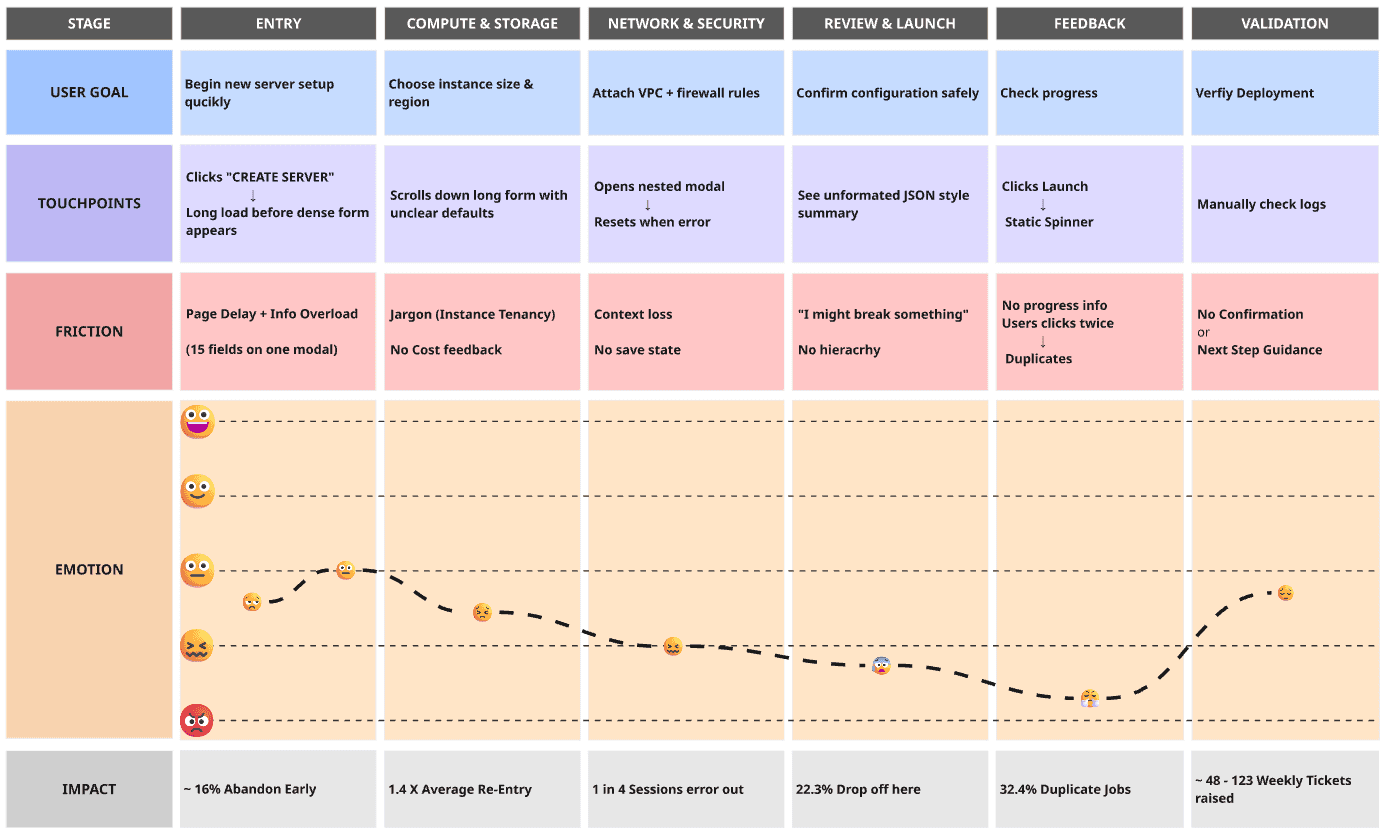
Customer Journey Mapping
Initial journey map revealed how developers dropped off midway because they couldn’t see progress, preview configurations, or backtrack without losing data.
Confidence collapsed near the end, leading to errors, duplicate jobs, and hundreds of weekly support tickets.
Quotes
Developers can lose track of the specific task or domain they are working on, leading to errors.
Developers waste time guessing what they can and should do, eroding confidence and increasing the chance of errors.
Developers cannot get a comprehensive, real-time view of their domain's state in one place.
Contextual hierarchy make it difficult for developers to quickly scan and confidently select the intended action,
Developers must guess input formats and are left uncertain about the status of their actions.
Pain Points
Information Fragmentation
The workflow is broken, forcing developers into an inefficient, manual, and high-risk process.
Hierarchy Failure
Broken hierarchy is actively contributing to user confusion instead of guiding them, leading to a loss of trust.
Disrupted User Journey
The user journey is abrupt and confusing, lacking a natural progression that helps developers maintain context.
The Problem Statement
ZenoCloud’s server provisioning process was creating significant friction, directly costing customers an estimated ~862 - 1,023 hours every month. This ambiguity translated into a severe business problem resulting in support tickets surged by ~22.7% of overall tickets raised, straining the service-level agreements (SLAs) and threatening customer renewals. If left unaddressed, this escalating cost-to-serve and growing user frustration would directly impede the company's ability to scale.
It’s an experience problem disguised as infrastructure setup.
Design Solution
Design Strategy
Primary focus
Guided clarity for 1st time users vs Speed for power users
Evidence-driven pivot
Designing one feature for two completely different types of users
Split Permsissions
Early walkthroughs with developers and IT Admin revealed:
Security and Network are owned by different teams at different hierarchy access.
Junior and Associate level developers would require the IT Admin permission request for every deployment.
Optimal Intervention
Split steps for clarity & permission boundaries would helps in fluid deployment of servers and save up overall cost.
Usability Risk
Intentional Friction for New Folks
A single, long form wouldn't work because one person wouldn't have all the permissions. This meant we had to introduce the progressive disclosure into logical steps.

Unified Panel for Experts
We quickly saw that the Unified panel would help expert users, and the Wizard would annoy new folks, and forcing everyone into one path was the wrong move.
Flow Iteration - 1
Linear Provisioning
Goal: Developer provisions a secure, verified, and production-ready server instance
PROS
Everyone knows exactly what to do next.
Checks are built-in to prevent mistakes or security problems.
Tracing every step makes audits and fixes simple.
Less need for many teams to coordinate at the same time.
The straight line process is simple to turn into an automatic system later.
CONS
The whole process is slower because nothing can happen at the same time.
It's hard to quickly bypass steps for urgent fixes or special cases.
Experienced people might get tired of confirming too many details.
Everything can stop if the required reviewer is busy.
Other teams only see what's happening near the very end.
Cost
Reviewing
?
Submit Server Request
DevOps Review & Template Assignment
Choose Standard template/custom config
?
Standard Template
Automated Server Provisioning
Domain Management
DNS & SSL Configuration
Add
domain
?
Fill Justification Note
Smoke Testing & Troubleshooting
Documentation & Launch
Server successfully provisioned, verified
Troubleshoot Page
Custom config
No
No
Yes
Yes
under review
System checks DNS propagation + SSL chain.
If validation fails → block next step and show guided fix.
Flow pauses until DNS verification.
Modal shows estimated cost.
User must review before submission.
Request cannot continue until this box is checked.
Flow Iteration - 2
Parallel Sandbox Model
Goal: Provision server and domain in parallel, verified through sandbox, before production cutover.
PROS
Work happens at the same time, making the whole process quicker.
Testing happens privately, catching errors before anyone else sees them.
Teams work together, sharing ownership and responsibility.
Multiple people can easily work on different parts at once.
Planning who is 'on-call' ensures a smooth handover after release.
CONS
Teams have to communicate and sync up more often.
Setting up an automatic system is more complex.
Users might have to jump between different types of work.
The final sign-off might not be consistent without a strict checklist.
There is no required check to control spending.
Provisioning Portal
Select Track
?
Domain + SSL Path
Add Domain
Ownership Verification
SSL Setup
Merge Tracks
Connect Domain
to Server
Is server ready for domain binding?
?
Automated
Hardening
Production Cutover
create server request
Infrastrucutre path
sandbox environment testing
peer gate review
on call assignment
Post-Launch monitoring
& documentation
System checks DNS propagation + SSL chain.
If validation fails → block next step and show guided fix.
System requires user to assign a 24h on-call contact before “Go Live.”
Flow pauses until assignment complete.
Yes
Yes
No
Final User Flow
Dual-Mode Design
Introducing Balance, Clarity and Speed
The "Best of Both Worlds" Approach was decided to combine the ideas.
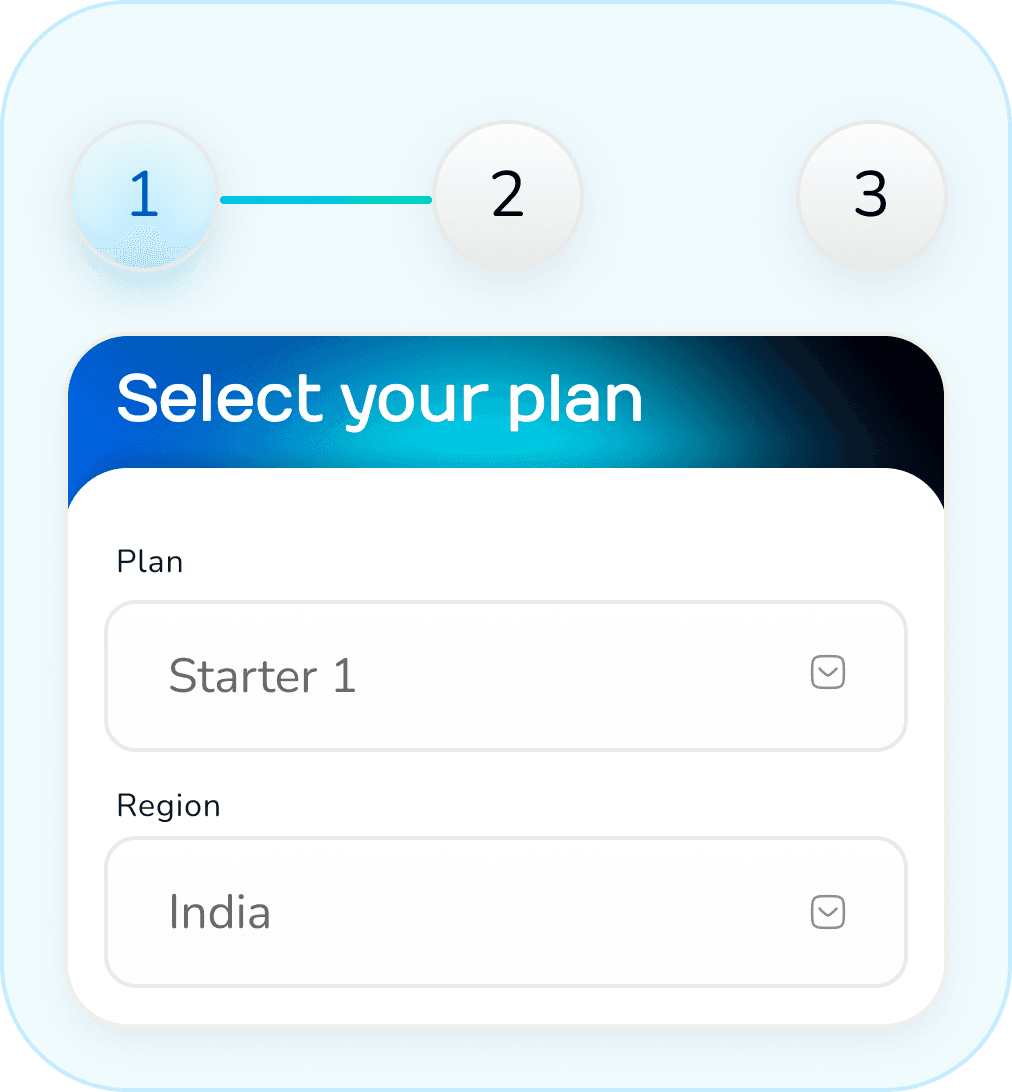
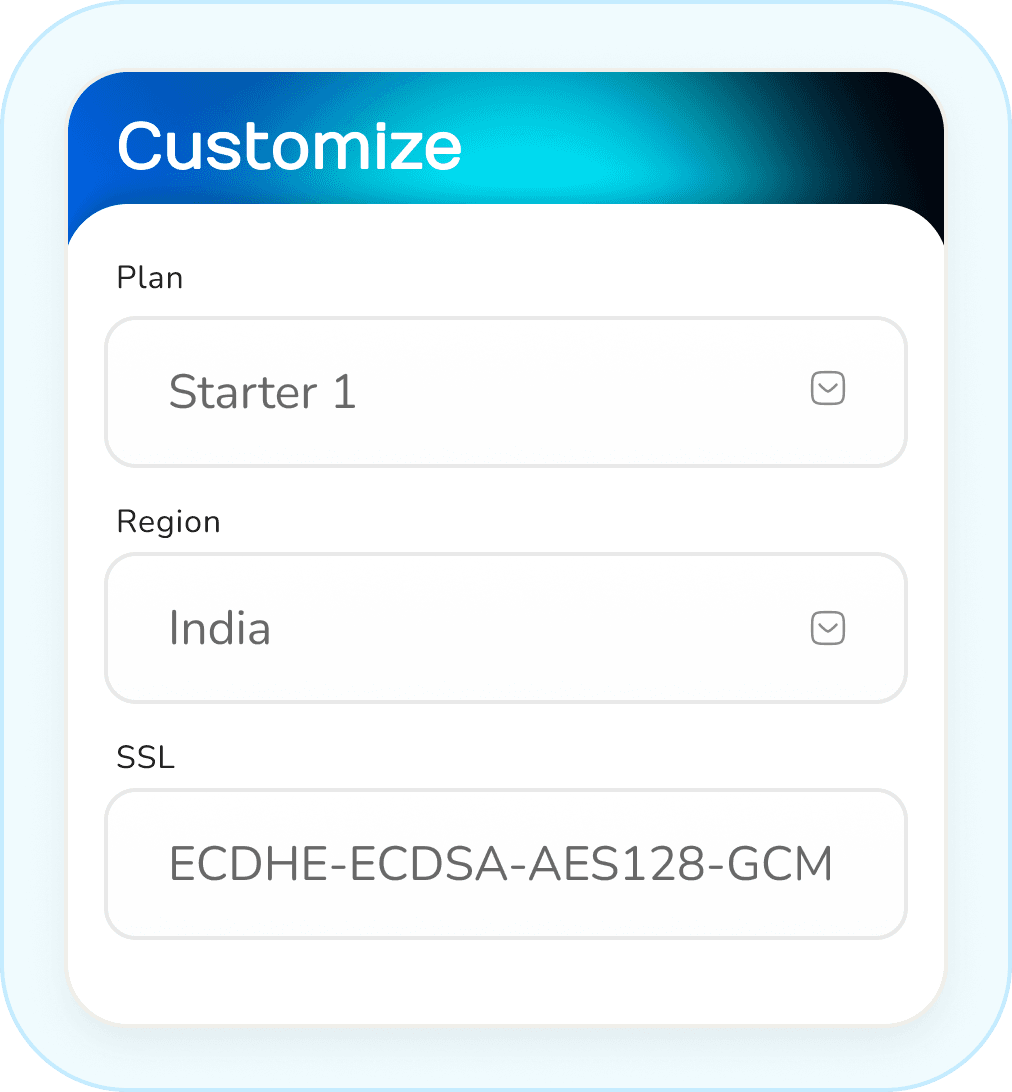
Wizard Mode
Every user starts with the simple, step-by-step guided experience. This is the safe and welcoming front door.
Power Mode
Including a switch that allows power users access through Sign-in into the fast, all-in-one Power Panel. This gives them the speed they need without ever punishing the beginners.
Present error
details
request approval
Configure network/security
?
Request admin approval
?
Retry or
contact
support
?
Yes
No
Notify user to
request admin approval
Server marked as active
Select pre-defined template/stack
?
Configure resources
Confirm & deploy
server
Yes
No
Manage with
advanced options
Wizard Mode
Click on CTA for
provisioning setup
Options to manage
Display new server
in dashboard
Decide to provision
?
New server
Power Panel Mode
Perform batch
operations
Configure resources,
network, security
Provisioning Portal
Advanced options
Initiate
provisioning
Monitor progress
via logs
Showcasing the Wizard Mode
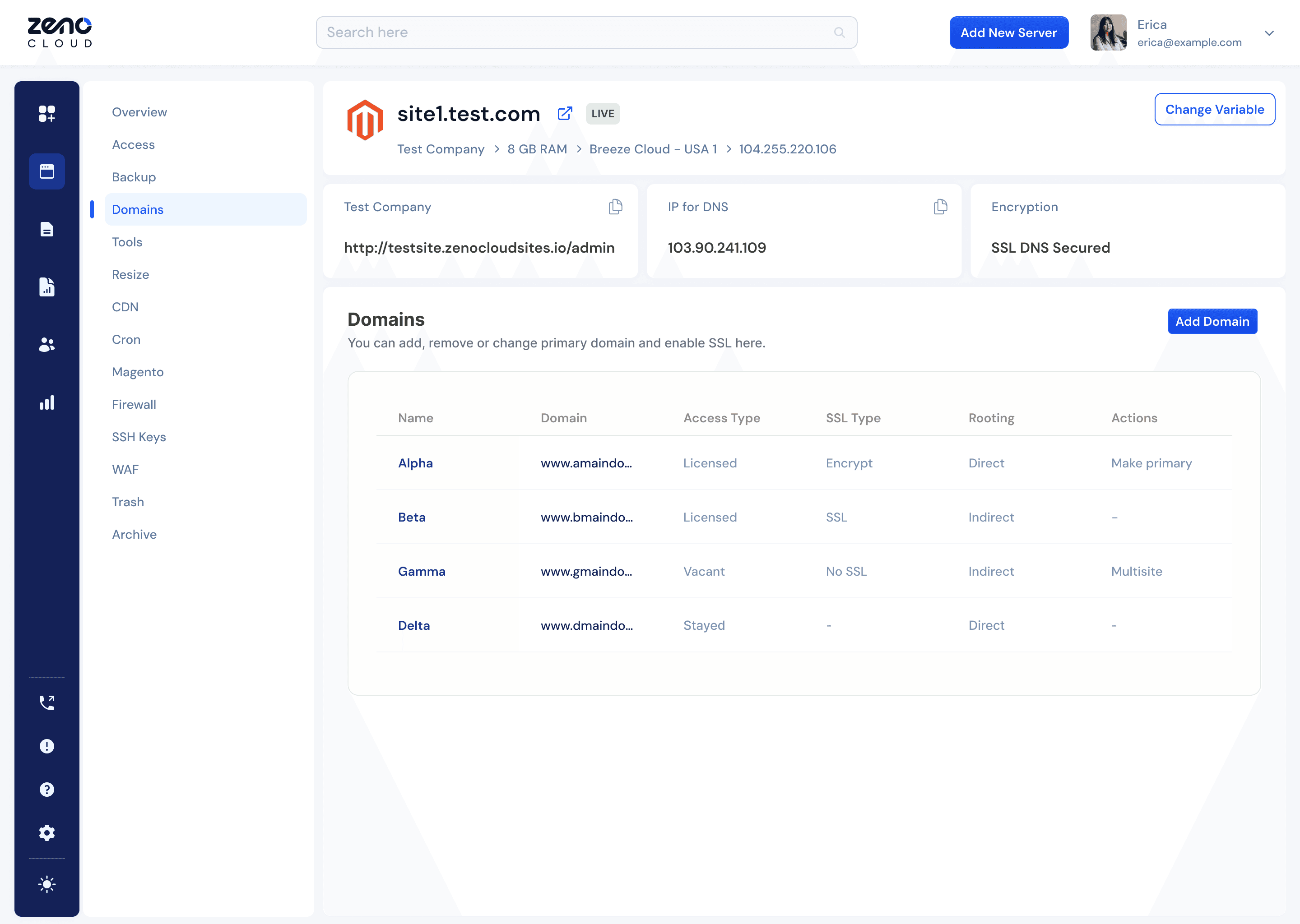
Handing over the Control to Developer
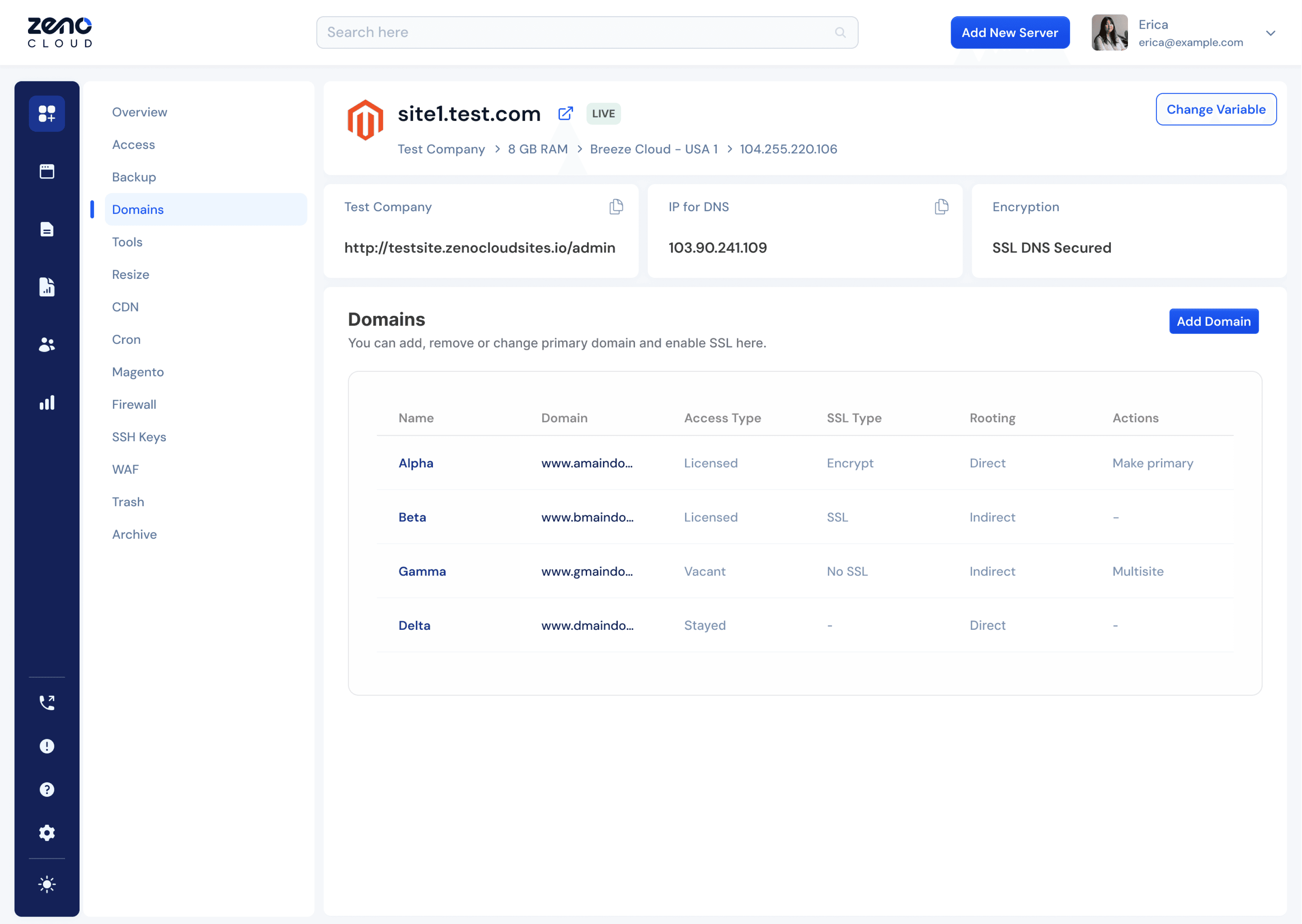
Redesigned the interface to eliminate guesswork and empower developers with immediate clarity and control.
Improving the information hierarchy, critical data like status and SSL is now visible at a glance.
Hidden menus are replaced with direct action buttons, turning complex multi-domain management into a simple, confident workflow.
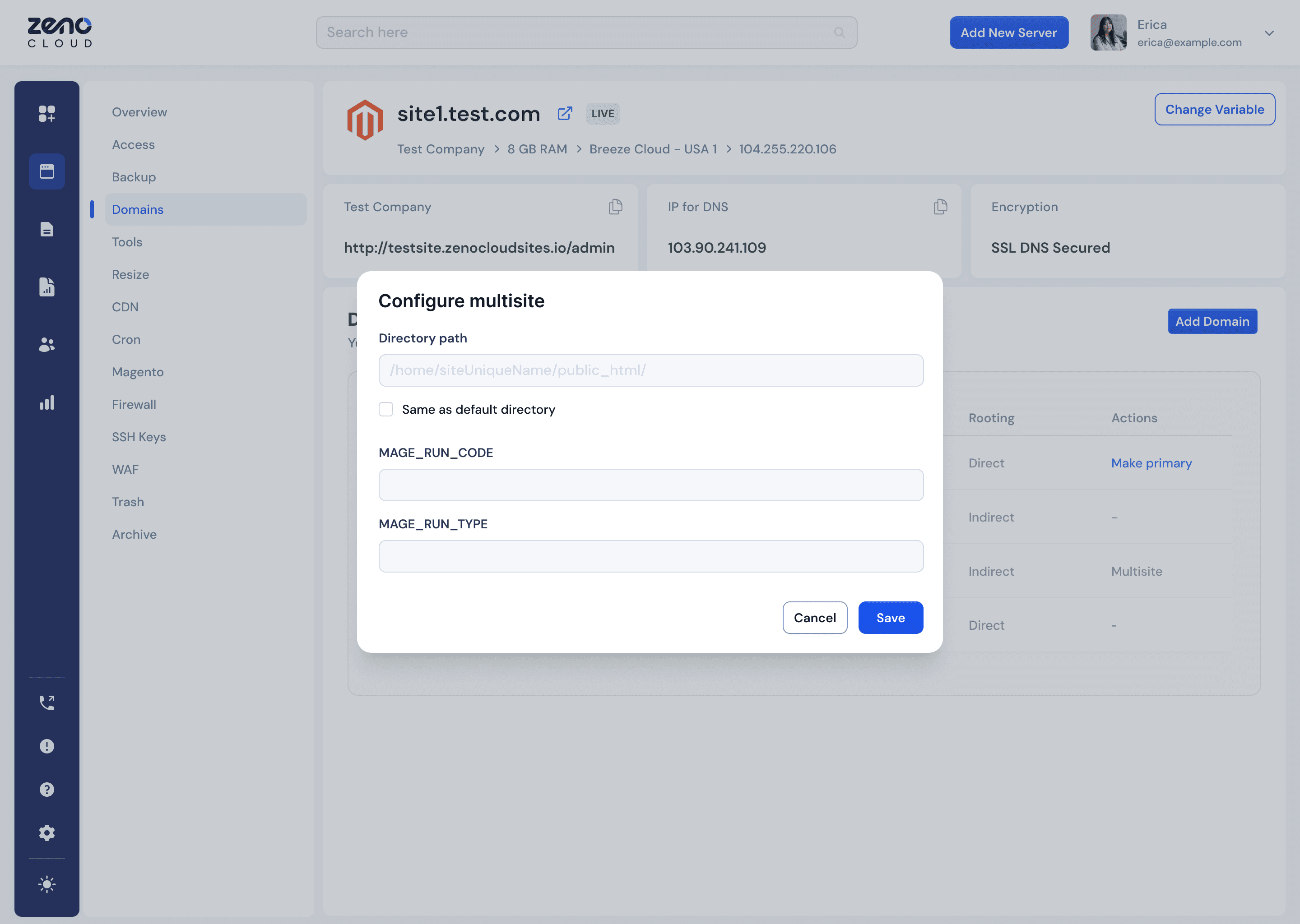
Configuring websites in a Swoop
Transformed the form from a source of guesswork into a clear, guided workflow.
Grouping related fields and using mistake-proof guidance.
New design eliminates ambiguity, allowing developers to complete their work quickly, accurately, and with confidence.
Wizard
Power
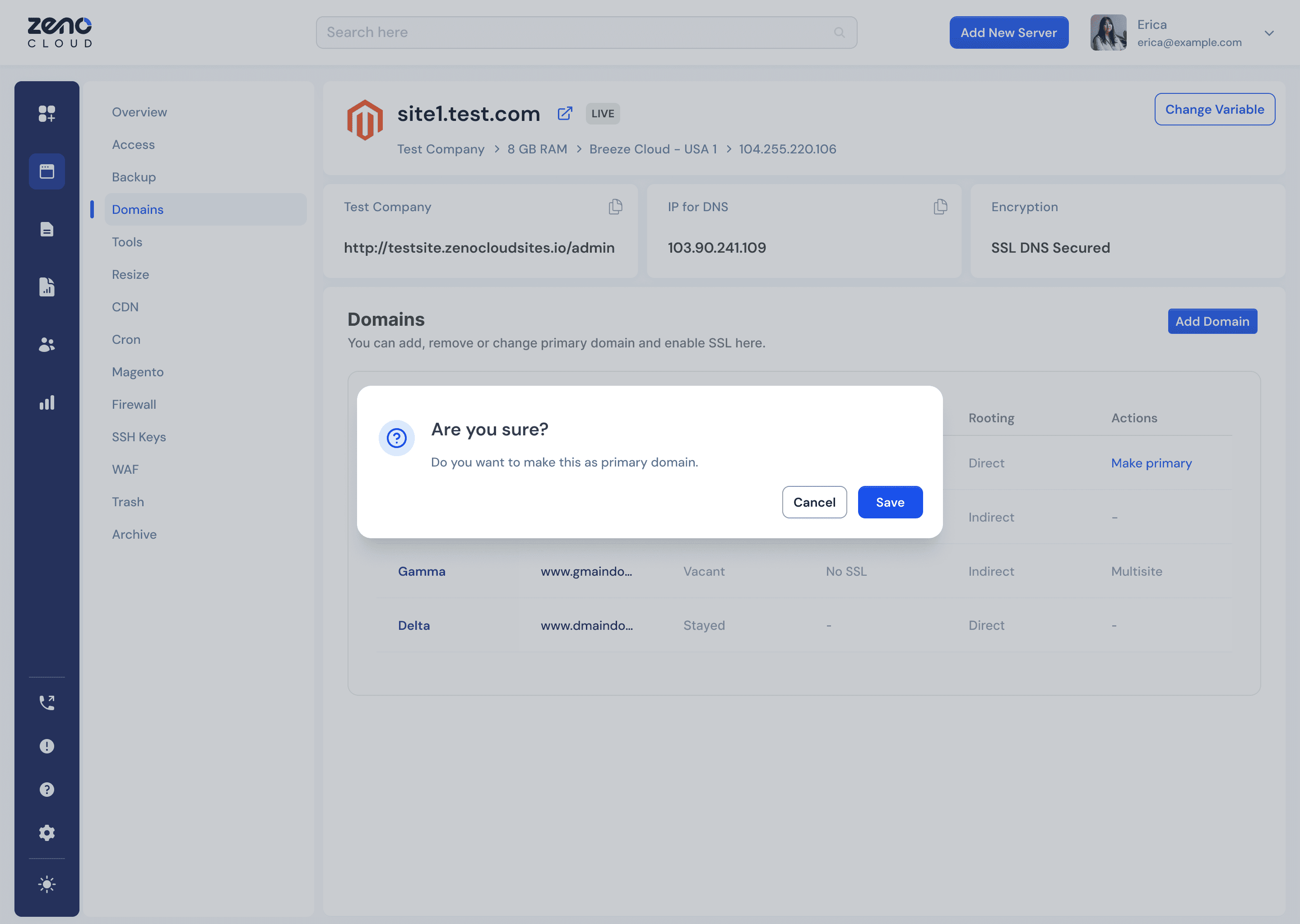
Improving Dialog Box Usability
The Confirmation dialog commands attention through intentional simplicity.
Centering the modal and eliminating visual clutter, the design creates an undeniable focal point.
A clear text hierarchy makes the message instantly scannable, guiding the user to make a quick and confident decision without distraction.
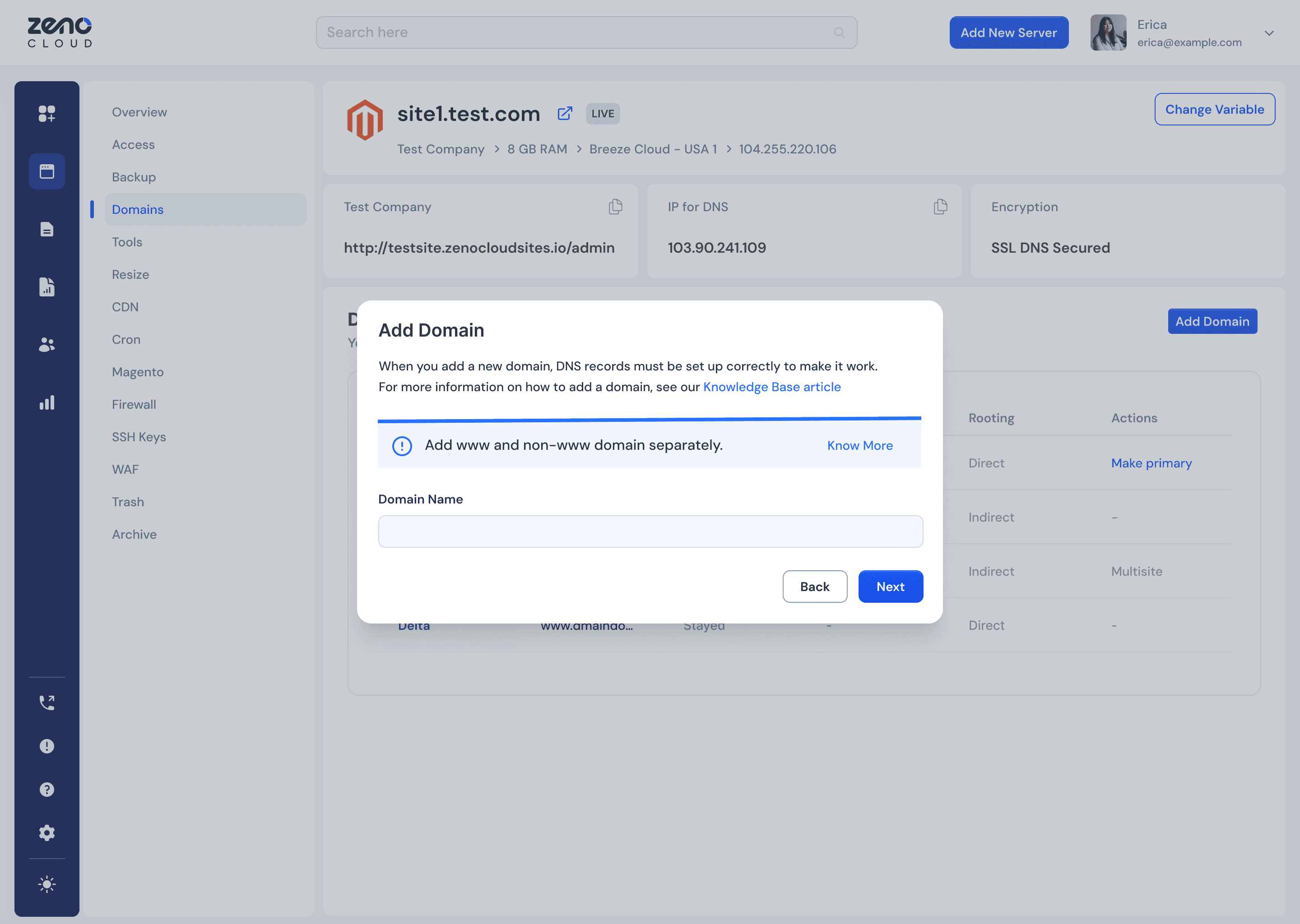
Revised User Journey in Domain Addition
The new layout transforms a cluttered process into a guided experience.
Breaking the flow into clear steps and centering the user's focus, the design eliminates distractions.
A highly visible warning banner ensures crucial information is impossible to miss, empowering users to move forward with confidence.
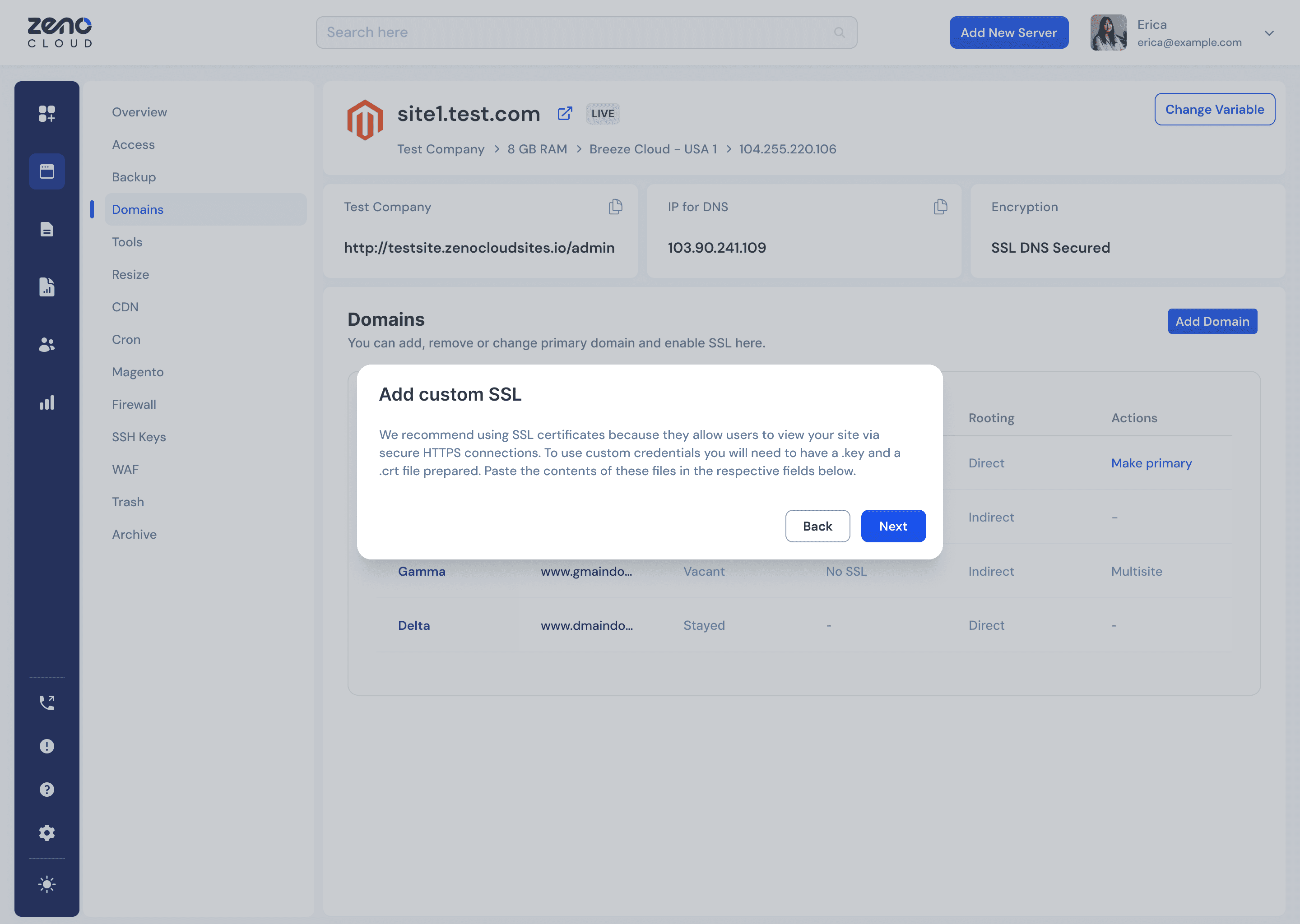
Deployment of Custom SSL in a go
The new design intentionally strips away visual clutter and unnecessary navigation.
Muting the background, the user's attention is directed squarely on the task at hand.
This creates a simplified, distraction-free path that reduces cognitive load and guides them toward a quick and confident decision.
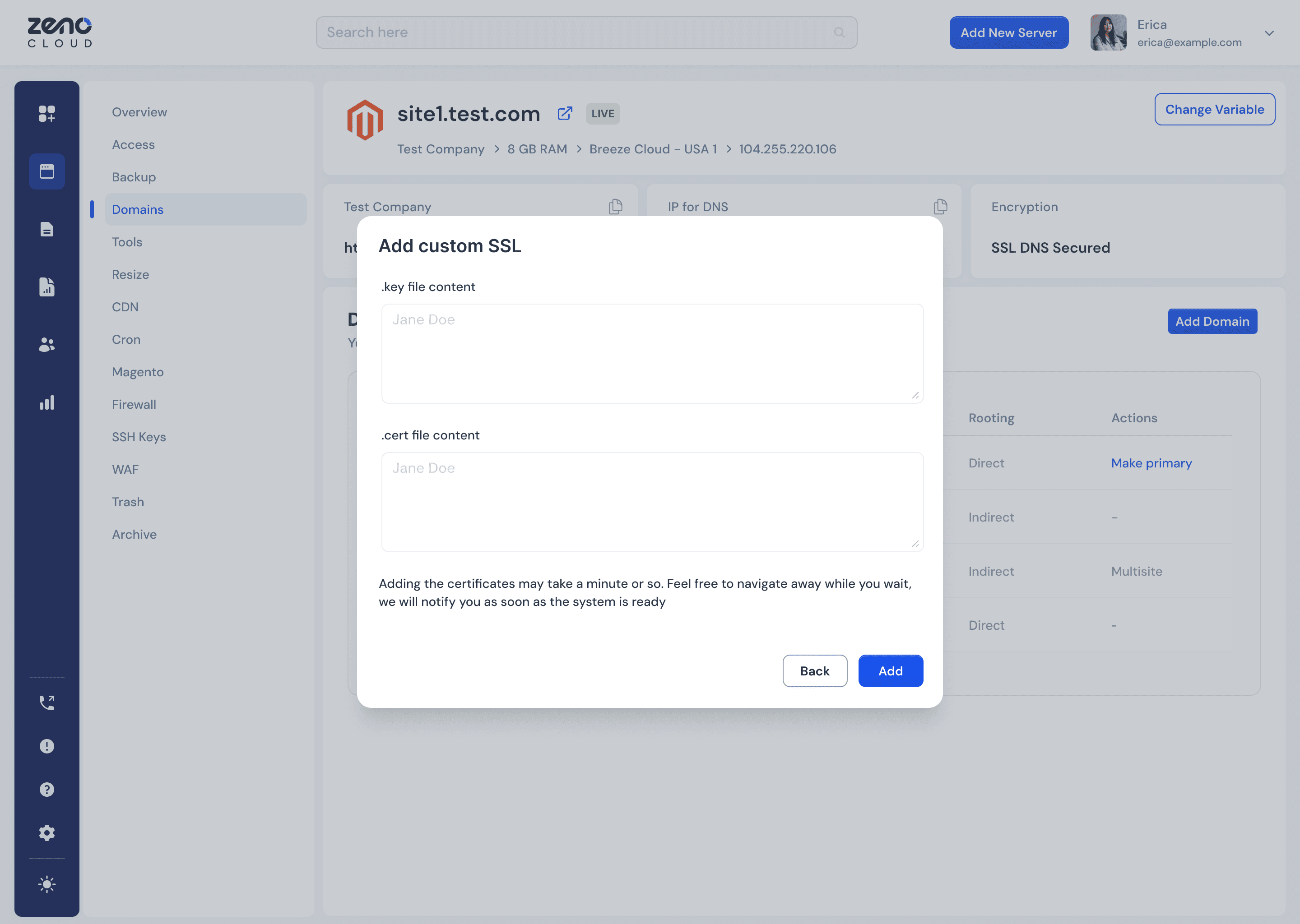
Improving the SSL Configuration Dialog
The minimalist interface eliminates clutter to focus the developer's attention.
Clearly labeled fields provide intuitive guidance, while prominent instructions and integrated feedback proactively manage expectations.
This transforms a potentially confusing task into a simple, reassuring process where users feel confident at every step.
Type here
Type here
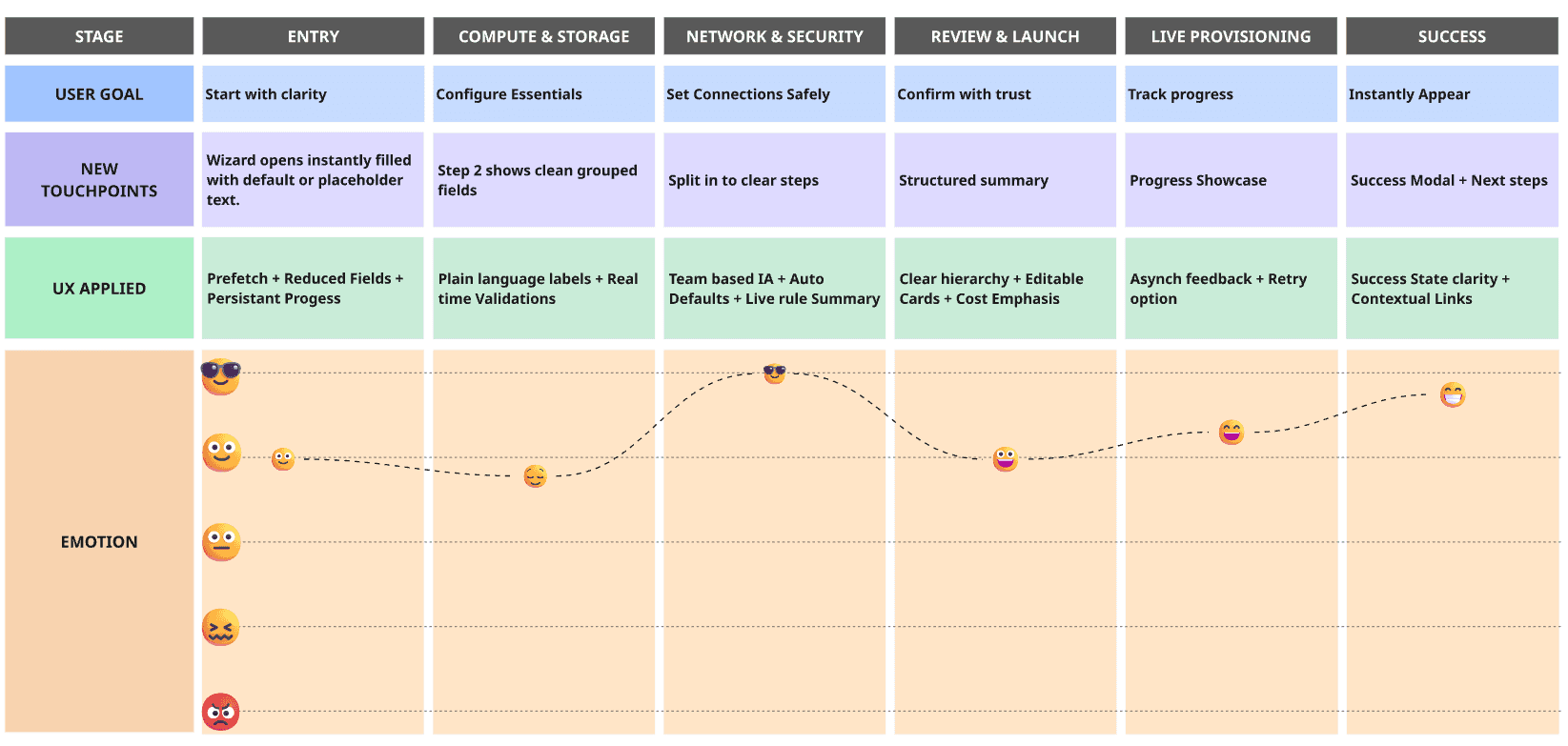
Improved Journey Map
The new journey replaces uncertainty with guidance.
Every step provides context, real-time validation, and visible progress — turning provisioning from a stressful task into a confident, five-minute routine
Outcome
Key Factors Improvements
~20%
decrease in Provisioning time
17 → 13 min
~26.8%
decrease in Error Rate in flow
16.78 → 12.28%
Reflection
Explore Advanced Workflows on Early Stage
The success of the dual-mode design (Wizard + Expert Mode) was key in balancing the needs of different user types, but it became clear that Expert Mode could benefit from more customization to cater to power users more effectively.
Refine Messaging Before Pixels
The clear impact of microcopy testing was unexpected. Small changes in language (like replacing jargon with plain terms) had a large effect on user confidence and task completion.
What I would do differently
Prioritizing Power-User Customization
Prioritize customizing for Expert Mode earlier in the process and run a quick design spike to refine its defaults. This would allow us to better serve power users' needs right from the start, without waiting for post-launch feedback.
Use Intermediate Testing as a Core Task
Begin testing earlier in the design process to fine-tune messaging and ensure that language is clear and helpful, which would improve user confidence and reduce errors right from the start.
Key Takeaways & Learnings
Clarity is Paramount
The project highlighted that clear, descriptive labels and a strong visual hierarchy are essential for user confidence and task completion. Confusing language and cluttered layouts were identified as major pain points.
Reduce Cognitive Load
By simplifying flows and eliminating visual noise, the project successfully reduced the mental effort required for developers. This was achieved through focused designs, streamlined dialogs, and better-organized information.
Guided User Experience
Providing in-line help, examples, and contextual warnings proved vital. This guidance prevented errors and made the user experience feel supportive rather than frustrating.
Impact of Subtle Changes
Seemingly minor design adjustments, such as using contrasting colors for CTAs and action-oriented language, had a significant impact on reducing accidental clicks and improving user trust.
Iterative, Problem-Based Approach
The project's success came from focusing on specific, identified problems and implementing targeted solutions, which allowed for efficient and effective improvements without a full-scale redesign.
Back to Top